openssl s_client
Connects to a TLS server like a client and shows the certificate chain, protocol and cipher it gets.
Syntax
openssl s_client -connect HOST:PORT [-servername NAME] [OPTIONS]
Options
| Option | Description |
|---|---|
-connect HOST:PORT |
Server and port, such as status.example.com:443 |
-servername NAME |
Name for SNI; needed when several sites share one IP address |
-brief |
Short summary: protocol, cipher, certificate, verification |
-showcerts |
Print all certificates of the chain, not only the first |
-tls1_2, -tls1_3 |
Only allow this protocol version |
-starttls smtp |
Upgrade a plain connection first, also imap, ftp, postgres |
</dev/null |
End the connection right after the handshake |
Examples
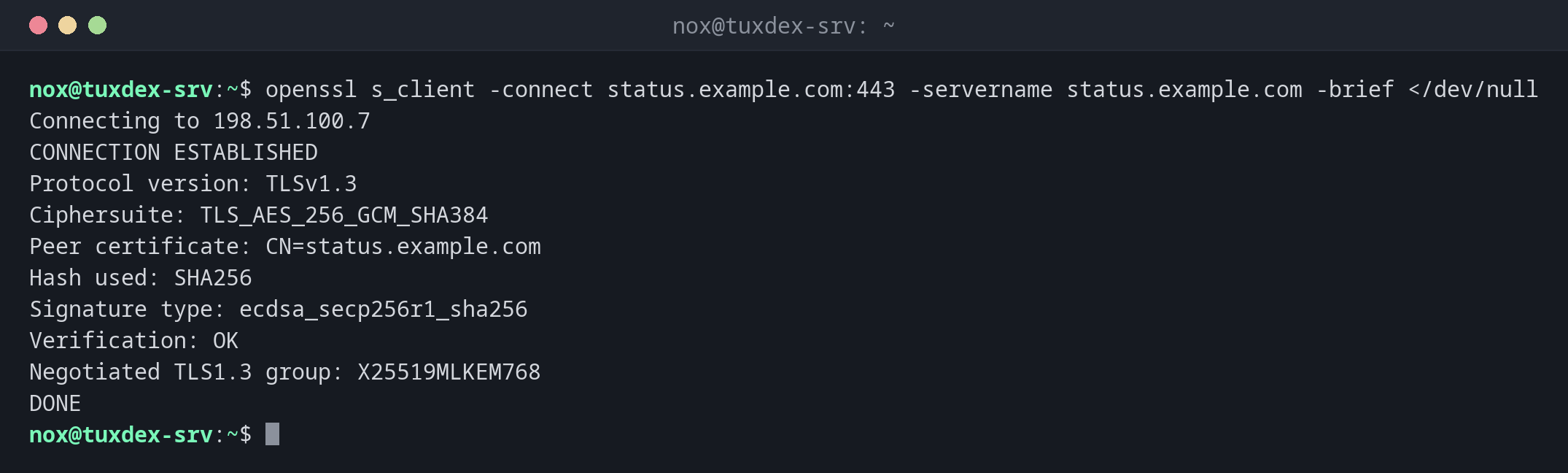
A short summary of the connection:
openssl s_client -connect status.example.com:443 -servername status.example.com -brief </dev/null
Connecting to 198.51.100.7
CONNECTION ESTABLISHED
Protocol version: TLSv1.3
Ciphersuite: TLS_AES_256_GCM_SHA384
Peer certificate: CN=status.example.com
Hash used: SHA256
Signature type: ecdsa_secp256r1_sha256
Verification: OK
Negotiated TLS1.3 group: X25519MLKEM768
DONE
The certificate chain the server sends:
openssl s_client -connect status.example.com:443 -servername status.example.com </dev/null 2>/dev/null | head -11
CONNECTED(00000003)
---
Certificate chain
 0 s:CN=status.example.com
   i:C=US, O=Let's Encrypt, CN=R13
   a:PKEY: EC, (prime256v1); sigalg: sha256WithRSAEncryption
   v:NotBefore: Oct  1 08:15:12 2026 GMT; NotAfter: Dec 30 08:15:11 2026 GMT
 1 s:C=US, O=Let's Encrypt, CN=R13
   i:C=US, O=Internet Security Research Group, CN=ISRG Root X1
   a:PKEY: RSA, 2048 (bit); sigalg: sha256WithRSAEncryption
   v:NotBefore: Mar 13 00:00:00 2024 GMT; NotAfter: Mar 12 23:59:59 2027 GMT
s: is the subject, i: the issuer. Certificate 0 is issued by R13, and R13 is sent along as certificate 1: the chain is complete.
Only the dates of the delivered certificate:
echo | openssl s_client -connect status.example.com:443 -servername status.example.com 2>/dev/null \
  | openssl x509 -noout -dates -subject -issuer
notBefore=Oct  1 08:15:12 2026 GMT
notAfter=Dec 30 08:15:11 2026 GMT
subject=CN=status.example.com
issuer=C=US, O=Let's Encrypt, CN=R13
An old protocol is refused:
openssl s_client -connect status.example.com:443 -servername status.example.com -tls1_1 </dev/null
Connecting to 198.51.100.7
80C7D1F3A57F0000:error:0A0000BF:SSL routines:tls_setup_handshake:no protocols available:../ssl/statem/statem_lib.c:155:
CONNECTED(00000003)
---
no peer certificate available
Here the client itself refuses: OpenSSL 3 no longer offers TLS 1.1 by default. Use testssl.sh to check what the server accepts.
When do I need it?
- To check which certificate a server really delivers, and whether the chain is complete
- To find out why a client reports
unable to verifywhile the browser works - To test TLS on mail servers and databases with
-starttls
Always give -servername
Without -servername, a server with several sites may deliver its default certificate,
and you check the wrong one.
Verify return code
Verify return code: 0 (ok) means the chain could be verified with the CAs of this
machine. Any other code, such as 21 (unable to verify the first certificate), usually
means the intermediate certificate is missing on the server.
Related commands
openssl x509 · testssl.sh · curl · nmap