virsh
The command line for libvirt: list, start, stop and inspect virtual machines, open their console and take snapshots.
Syntax
virsh COMMAND [VM] [OPTIONS]
Options
| Command | Description |
|---|---|
list --all |
All VMs, including those that are switched off |
start, shutdown, reboot |
Start a VM, shut it down cleanly, restart it |
destroy |
Switch a VM off hard, like pulling the plug |
autostart |
Start the VM with the host (--disable to undo) |
dominfo, domifaddr |
Details of a VM, or its IP addresses |
console |
Serial console of the VM, leave with Ctrl + ] |
edit |
Edit the XML definition of a VM |
snapshot-create-as, snapshot-list, snapshot-revert |
Create, list and restore snapshots |
undefine |
Remove a VM from libvirt |
Run virsh as root (sudo virsh) or as a member of the group libvirt with LIBVIRT_DEFAULT_URI=qemu:///system; otherwise you only see your private VMs.
Examples
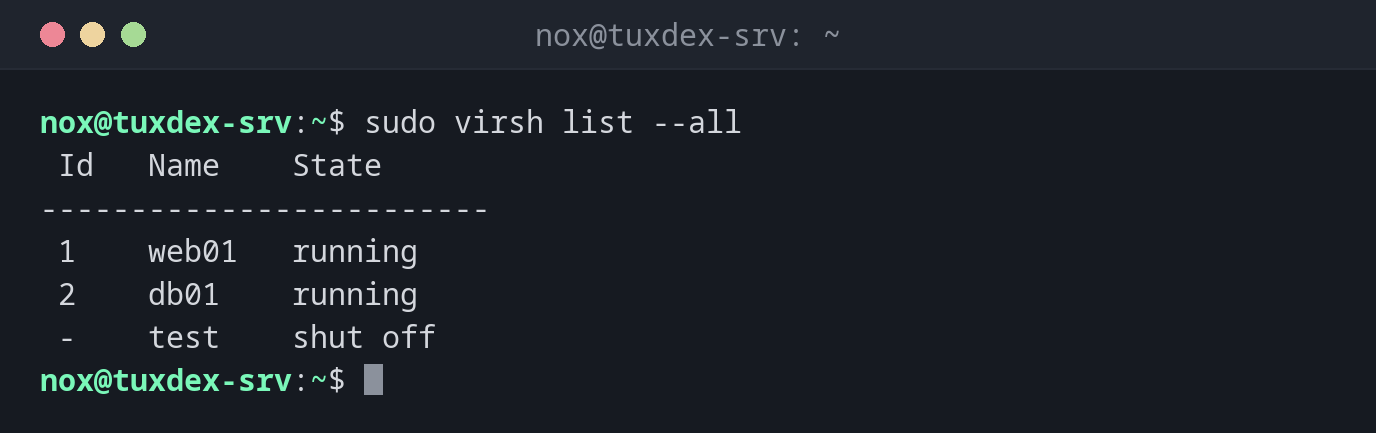
All VMs on the host:
sudo virsh list --all
 Id   Name    State
-------------------------
 1    web01   running
 2    db01    running
 -    test    shut off
Start a VM and start it with the host from now on:
sudo virsh start test
sudo virsh autostart test
Domain 'test' started

Domain 'test' marked as autostarted
Details of a VM:
sudo virsh dominfo web01
Id:             1
Name:           web01
UUID:           6c1f0e5a-3b2d-4f8e-9a71-2d5c8b4e7f10
OS Type:        hvm
State:          running
CPU(s):         1
CPU time:       842.3s
Max memory:     1048576 KiB
Used memory:    1048576 KiB
Persistent:     yes
Autostart:      enable
Managed save:   no
Security model: apparmor
Security DOI:   0
Security label: libvirt-6c1f0e5a-3b2d-4f8e-9a71-2d5c8b4e7f10 (enforcing)
Which IP address a VM got:
sudo virsh domifaddr web01
 Name       MAC address          Protocol     Address
-------------------------------------------------------------------------------
 vnet0      52:54:00:3a:7c:21    ipv4         192.168.122.53/24
This works for VMs in the NAT network default. For VMs on a bridge add --source agent; that needs the qemu-guest-agent in the VM.
Into the VM through the serial console:
sudo virsh console web01
Connected to domain 'web01'
Escape character is ^] (Ctrl + ])

web01 login:
A snapshot before an upgrade:
sudo virsh snapshot-create-as web01 before-upgrade
sudo virsh snapshot-list web01
Domain snapshot before-upgrade created
 Name             Creation Time               State
---------------------------------------------------------
 before-upgrade   2026-10-26 10:42:17 +0100   running
If the upgrade goes wrong: sudo virsh snapshot-revert web01 before-upgrade. Delete the snapshot afterwards with snapshot-delete, so the image doesn't keep growing.
Shut a VM down cleanly:
sudo virsh shutdown test
Domain 'test' is being shutdown
When do I need it?
- To see which VMs run on a host and to start or stop them
- To make VMs start after a reboot of the host
- To take a snapshot before an upgrade inside the VM
- To get into a VM whose network doesn't work, through the console
Shut down VMs with the host
On Debian and Ubuntu the service libvirt-guests shuts down or suspends running VMs
when the host reboots. Set ON_SHUTDOWN=shutdown in /etc/default/libvirt-guests.
shutdown needs the guest
virsh shutdown sends an ACPI signal. If the guest ignores it (no acpid, hung
system), nothing happens. Only then use virsh destroy.
undefine --remove-all-storage
This removes the VM and deletes its disk images. There is no undo. Without the option
the images stay in /var/lib/libvirt/images/.
Distribution differences
| Debian | Ubuntu | RHEL | Arch | |
|---|---|---|---|---|
| Package | libvirt-clients |
libvirt-clients |
libvirt-client |
libvirt |
| Daemon | libvirtd |
libvirtd |
virtqemud |
libvirtd |
| Security label | AppArmor | AppArmor | SELinux | none |