getopts
Reads short options like
-vand-t TARGETfrom the arguments of a script. The standard way to give scripts switches.
Syntax
getopts OPTSTRING NAME
This page uses the script backup.sh with the loop shown in the first example. getopts is a Bash builtin; it only knows short options.
Options
| Part | Meaning |
|---|---|
"vt:h" |
Allowed options; a : after a letter means: it needs a value |
$opt |
The option found in this round |
$OPTARG |
The value of an option with : |
$OPTIND |
Index of the next argument |
shift $((OPTIND - 1)) |
Remove the options, so $1 is the first normal argument |
Examples
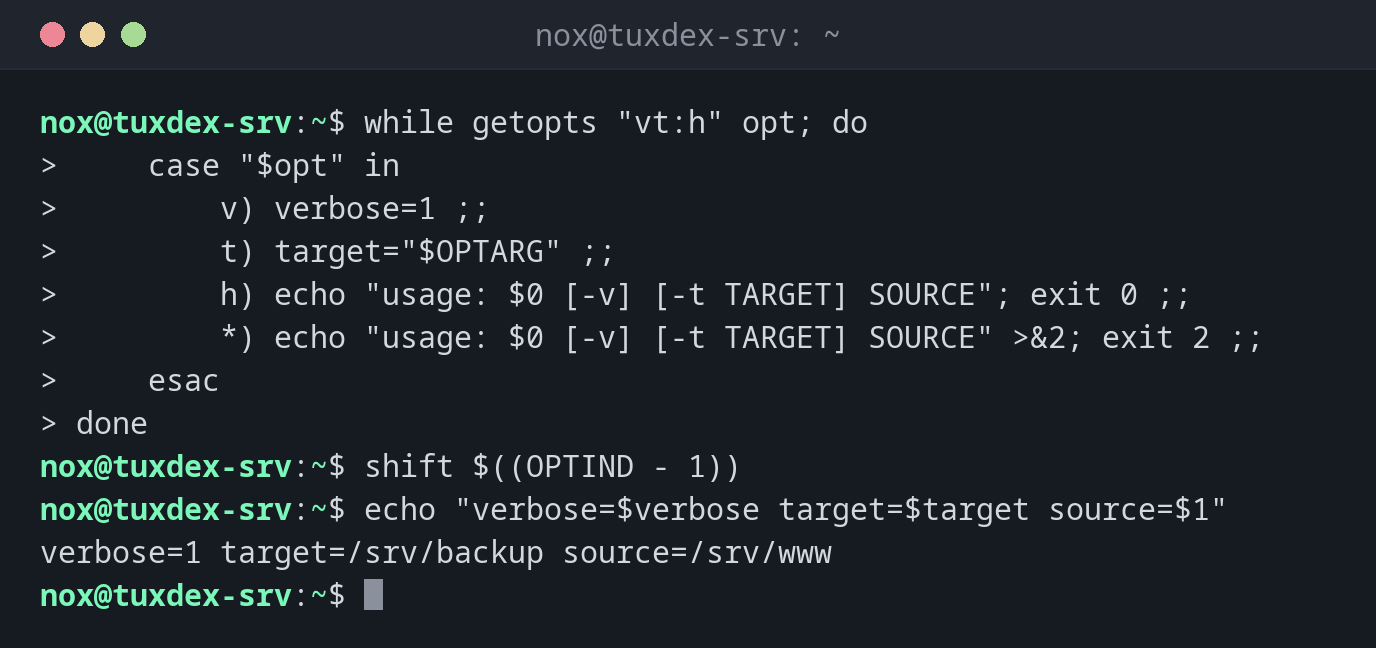
The option loop in backup.sh:
while getopts "vt:h" opt; do
    case "$opt" in
        v) verbose=1 ;;
        t) target="$OPTARG" ;;
        h) echo "usage: $0 [-v] [-t TARGET] SOURCE"; exit 0 ;;
        *) echo "usage: $0 [-v] [-t TARGET] SOURCE" >&2; exit 2 ;;
    esac
done
shift $((OPTIND - 1))
echo "verbose=$verbose target=$target source=$1"
verbose=1 target=/srv/backup source=/srv/www
Called as ./backup.sh -v -t /srv/backup /srv/www.
An unknown option:
./backup.sh -x
./backup.sh: illegal option -- x
usage: ./backup.sh [-v] [-t TARGET] SOURCE
An option without its value:
./backup.sh -t
./backup.sh: option requires an argument -- t
usage: ./backup.sh [-v] [-t TARGET] SOURCE
When do I need it?
- When a script needs switches like verbose mode or a target directory
- To reject wrong options with a clear message
- Instead of checking
$1,$2by hand
A usage message
Print a short usage line for -h and for wrong options. Use exit code 0 for -h and 2
for wrong usage.