mdadm
Creates and manages software RAID arrays: mirror disks, check the state and replace a failed disk.
Syntax
mdadm --create /dev/mdN --level=LEVEL --raid-devices=N DEVICE...
mdadm --detail /dev/mdN
mdadm /dev/mdN --fail | --remove | --add DEVICE
Options
| Option | Description |
|---|---|
--create, -C |
Create a new array |
--level=, -l |
RAID level: 1, 5, 6, 10 or 0 |
--raid-devices=, -n |
Number of active disks in the array |
--detail, -D |
Show state, disks and UUID of an array |
--detail --scan |
One ARRAY line per array, for mdadm.conf |
--fail, --remove, --add |
Mark a disk as failed, take it out, add a new one |
--examine, -E |
Show the RAID superblock on a single disk |
--zero-superblock |
Delete the RAID superblock from a disk that is no longer used |
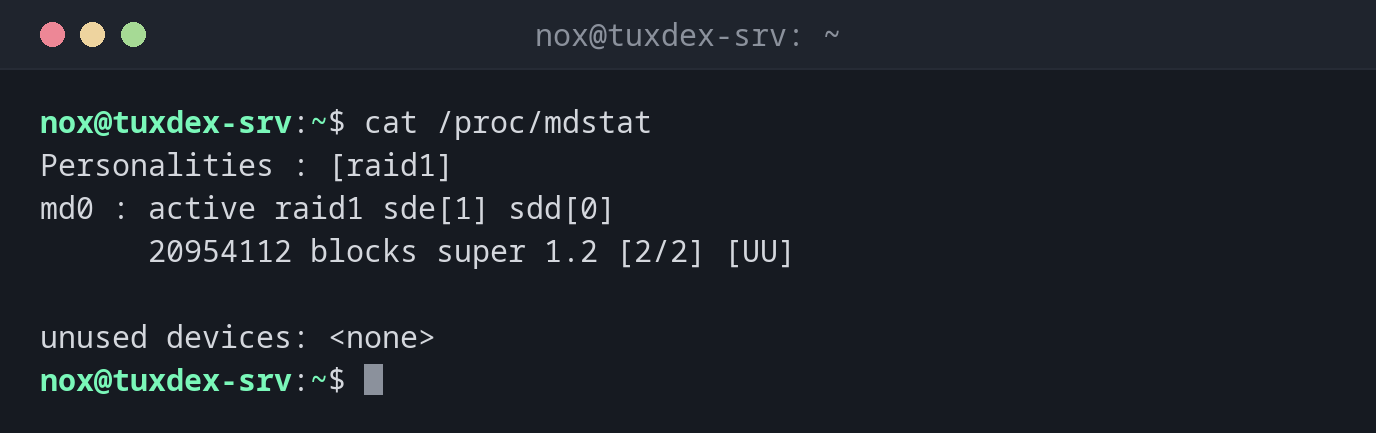
The kernel shows the state of all arrays in /proc/mdstat. [UU] means all disks are up, [U_] that one is missing.
Examples
The state of all arrays:
cat /proc/mdstat
Personalities : [raid1]
md0 : active raid1 sde[1] sdd[0]
      20954112 blocks super 1.2 [2/2] [UU]

unused devices: <none>
Mirror two new disks (RAID 1):
sudo mdadm --create /dev/md0 --level=1 --raid-devices=2 /dev/sdd /dev/sde
mdadm: Note: this array has metadata at the start and
    may not be suitable as a boot device.  If you plan to
    store '/boot' on this device please ensure that
    your boot-loader understands md/v1.x metadata, or use
    --metadata=0.90
mdadm: size set to 20954112K
Continue creating array? y
mdadm: Defaulting to version 1.2 metadata
mdadm: array /dev/md0 started.
The array is usable right away. In the background the kernel copies the first disk to the second; /proc/mdstat shows the progress. Then create a file system with sudo mkfs.ext4 /dev/md0.
Details of an array:
sudo mdadm --detail /dev/md0
/dev/md0:
           Version : 1.2
     Creation Time : Mon Oct 26 10:42:17 2026
        Raid Level : raid1
        Array Size : 20954112 (19.98 GiB 21.46 GB)
     Used Dev Size : 20954112 (19.98 GiB 21.46 GB)
      Raid Devices : 2
     Total Devices : 2
       Persistence : Superblock is persistent

       Update Time : Mon Oct 26 10:44:03 2026
             State : clean
    Active Devices : 2
   Working Devices : 2
    Failed Devices : 0
     Spare Devices : 0

Consistency Policy : resync

              Name : tuxdex-srv:0  (local to host tuxdex-srv)
              UUID : 3f8a2c1e:9b47d6a0:5e21c8f4:7d03b9e2
            Events : 17

    Number   Major   Minor   RaidDevice State
       0       8       48        0      active sync   /dev/sdd
       1       8       64        1      active sync   /dev/sde
Save the array, so it gets the same name at boot:
sudo mdadm --detail --scan | sudo tee -a /etc/mdadm/mdadm.conf
sudo update-initramfs -u
ARRAY /dev/md0 metadata=1.2 name=tuxdex-srv:0 UUID=3f8a2c1e:9b47d6a0:5e21c8f4:7d03b9e2
update-initramfs: Generating /boot/initrd.img-6.12.48+deb13-amd64
A disk has failed:
cat /proc/mdstat
Personalities : [raid1]
md0 : active raid1 sde[1](F) sdd[0]
      20954112 blocks super 1.2 [2/1] [U_]

unused devices: <none>
(F) marks the failed disk, [U_] shows that the array runs on one disk only. The data is still there.
Take out the failed disk and add the new one:
sudo mdadm /dev/md0 --remove /dev/sde
# swap the disk, then:
sudo mdadm /dev/md0 --add /dev/sde
cat /proc/mdstat
mdadm: hot removed /dev/sde from /dev/md0
mdadm: added /dev/sde
Personalities : [raid1]
md0 : active raid1 sde[2] sdd[0]
      20954112 blocks super 1.2 [2/1] [U_]
      [====>................]  recovery = 23.6% (4946304/20954112) finish=1.3min speed=203472K/sec

unused devices: <none>
During the recovery the array stays usable. When it's done, /proc/mdstat shows [UU] again.
When do I need it?
- To mirror two data disks, so the server keeps running when one of them fails
- To check the state of an array after a warning mail or in a monitoring script
- To swap a failed disk and rebuild the array
Get mails about failed disks
The service mdmonitor watches all arrays and mails the address from MAILADDR in
mdadm.conf. A test: sudo mdadm --monitor --scan --test --oneshot sends a test mail
for every array.
RAID is not a backup
A mirror protects against a failed disk, not against rm -rf, ransomware or a broken
file system: those are mirrored right away. You still need a backup.
--create overwrites the disks
mdadm --create writes new superblocks to the named disks. Check the device names with
lsblk first: a wrong letter destroys the data on another disk.
Distribution differences
| Debian | Ubuntu | RHEL | Arch | |
|---|---|---|---|---|
| Install | sudo apt install mdadm |
preinstalled on Ubuntu Server | sudo dnf install mdadm |
sudo pacman -S mdadm |
| Configuration file | /etc/mdadm/mdadm.conf |
/etc/mdadm/mdadm.conf |
/etc/mdadm.conf |
/etc/mdadm.conf |
| Update the initramfs | update-initramfs -u |
update-initramfs -u |
dracut -f |
mkinitcpio -P (hook mdadm_udev) |