certbot
Gets free TLS certificates from Let's Encrypt, sets them up in nginx or Apache and renews them automatically.
Syntax
certbot [--nginx | --apache | certonly] -d DOMAIN [-d DOMAIN...]
certbot certificates | renew [--dry-run] | delete
Options
| Option | Description |
|---|---|
--nginx, --apache |
Get the certificate and configure the web server |
certonly |
Only get the certificate, don't change any configuration |
--webroot -w DIRECTORY |
Prove ownership via a file in the web root (with certonly) |
--standalone |
Start an own web server for the check (port 80 must be free) |
-d DOMAIN |
Domain; several -d for several names in one certificate |
certificates |
List the certificates with expiry dates |
renew --dry-run |
Test the renewal against the staging server |
--deploy-hook COMMAND |
Run a command after each successful renewal, such as reloading a service |
Let's Encrypt certificates are valid for 90 days. certbot renews them when less than 30 days are left.
Examples
Get a certificate and set up nginx:
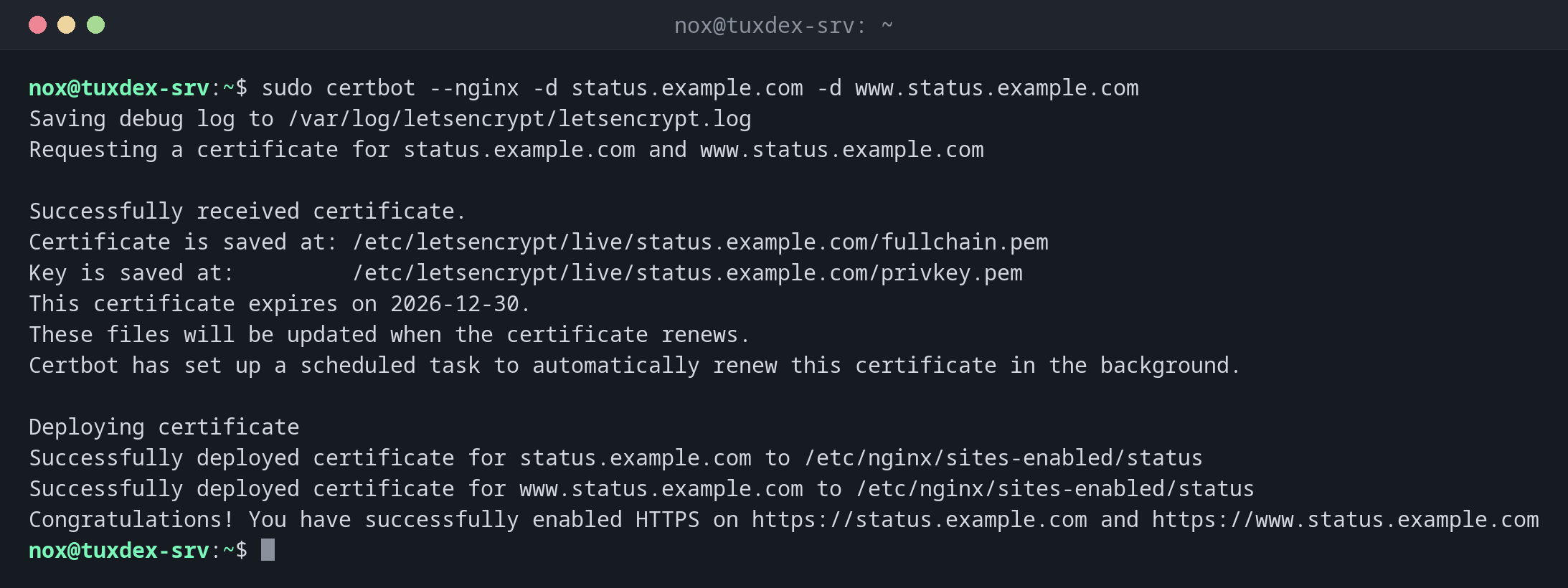
sudo certbot --nginx -d status.example.com -d www.status.example.com
Saving debug log to /var/log/letsencrypt/letsencrypt.log
Requesting a certificate for status.example.com and www.status.example.com

Successfully received certificate.
Certificate is saved at: /etc/letsencrypt/live/status.example.com/fullchain.pem
Key is saved at:         /etc/letsencrypt/live/status.example.com/privkey.pem
This certificate expires on 2026-12-30.
These files will be updated when the certificate renews.
Certbot has set up a scheduled task to automatically renew this certificate in the background.

Deploying certificate
Successfully deployed certificate for status.example.com to /etc/nginx/sites-enabled/status
Successfully deployed certificate for www.status.example.com to /etc/nginx/sites-enabled/status
Congratulations! You have successfully enabled HTTPS on https://status.example.com and https://www.status.example.com
All certificates with their expiry:
sudo certbot certificates
Saving debug log to /var/log/letsencrypt/letsencrypt.log

- - - - - - - - - - - - - - - - - - - - - - - - - - - - - - - - - - - - - - - -
Found the following certs:
  Certificate Name: status.example.com
    Serial Number: 48cc344e3cb032bd7874834e00cf32557b57135a
    Key Type: ECDSA
    Domains: status.example.com www.status.example.com
    Expiry Date: 2026-12-30 08:15:11+00:00 (VALID: 64 days)
    Certificate Path: /etc/letsencrypt/live/status.example.com/fullchain.pem
    Private Key Path: /etc/letsencrypt/live/status.example.com/privkey.pem
- - - - - - - - - - - - - - - - - - - - - - - - - - - - - - - - - - - - - - - -
Test the automatic renewal:
sudo certbot renew --dry-run
Saving debug log to /var/log/letsencrypt/letsencrypt.log

- - - - - - - - - - - - - - - - - - - - - - - - - - - - - - - - - - - - - - - -
Processing /etc/letsencrypt/renewal/status.example.com.conf
- - - - - - - - - - - - - - - - - - - - - - - - - - - - - - - - - - - - - - - -
Simulating renewal of an existing certificate for status.example.com and www.status.example.com

- - - - - - - - - - - - - - - - - - - - - - - - - - - - - - - - - - - - - - - -
Congratulations, all simulated renewals succeeded:
  /etc/letsencrypt/live/status.example.com/fullchain.pem (success)
- - - - - - - - - - - - - - - - - - - - - - - - - - - - - - - - - - - - - - - -
The timer for the renewal:
systemctl list-timers certbot.timer
NEXT                        LEFT LAST                              PASSED UNIT          ACTIVATES
Mon 2026-10-26 21:37:00 CET  10h Mon 2026-10-26 09:12:04 CET 1h 30min ago certbot.timer certbot.service

1 timers listed.
Pass --all to see loaded but inactive timers, too.
When do I need it?
- For every public website and API that should be reachable via HTTPS
- For mail servers and other services, with
certonlyand a deploy hook - To check when certificates expire and whether renewal works
Test the renewal
sudo certbot renew --dry-run after the setup shows whether automatic renewal will work.
A failing renewal is only noticed when the certificate expires.
Port 80 must stay open
The usual HTTP check needs port 80 from the internet. If the firewall blocks it, renewals fail silently. Alternatively use the DNS check with a DNS plugin.
Distribution differences
| Debian | Ubuntu | RHEL | Arch | |
|---|---|---|---|---|
| Install | sudo apt install certbot python3-certbot-nginx |
sudo apt install certbot python3-certbot-nginx |
sudo dnf install certbot python3-certbot-nginx (EPEL) |
sudo pacman -S certbot certbot-nginx |
| Automatic renewal | certbot.timer, active |
certbot.timer, active |
certbot-renew.timer, enable with systemctl enable --now |
no timer, create one or use a cron job |
Related commands
openssl x509 · testssl.sh · systemctl · ufw