sar
Reads the system statistics that sysstat collects in the background, and shows CPU, memory, disk and network for any time of the day.
Syntax
sar [-u | -r | -q | -d | -n DEV] [-f FILE] [-s START] [-e END] [INTERVAL [COUNT]]
Options
| Option | Description |
|---|---|
-u |
CPU usage (default) |
-r |
Memory usage |
-S, -W |
Swap usage, swapping activity |
-q |
Load and run queue |
-d -p |
Disk activity with device names |
-n DEV, -n TCP,ETCP |
Network traffic per interface, TCP errors |
-f /var/log/sysstat/saDD |
Read an older day (/var/log/sa/saDD on RHEL) |
-s HH:MM:SS -e HH:MM:SS |
Only this time range |
INTERVAL COUNT |
Measure live instead of reading the history |
Examples
CPU usage during the night:
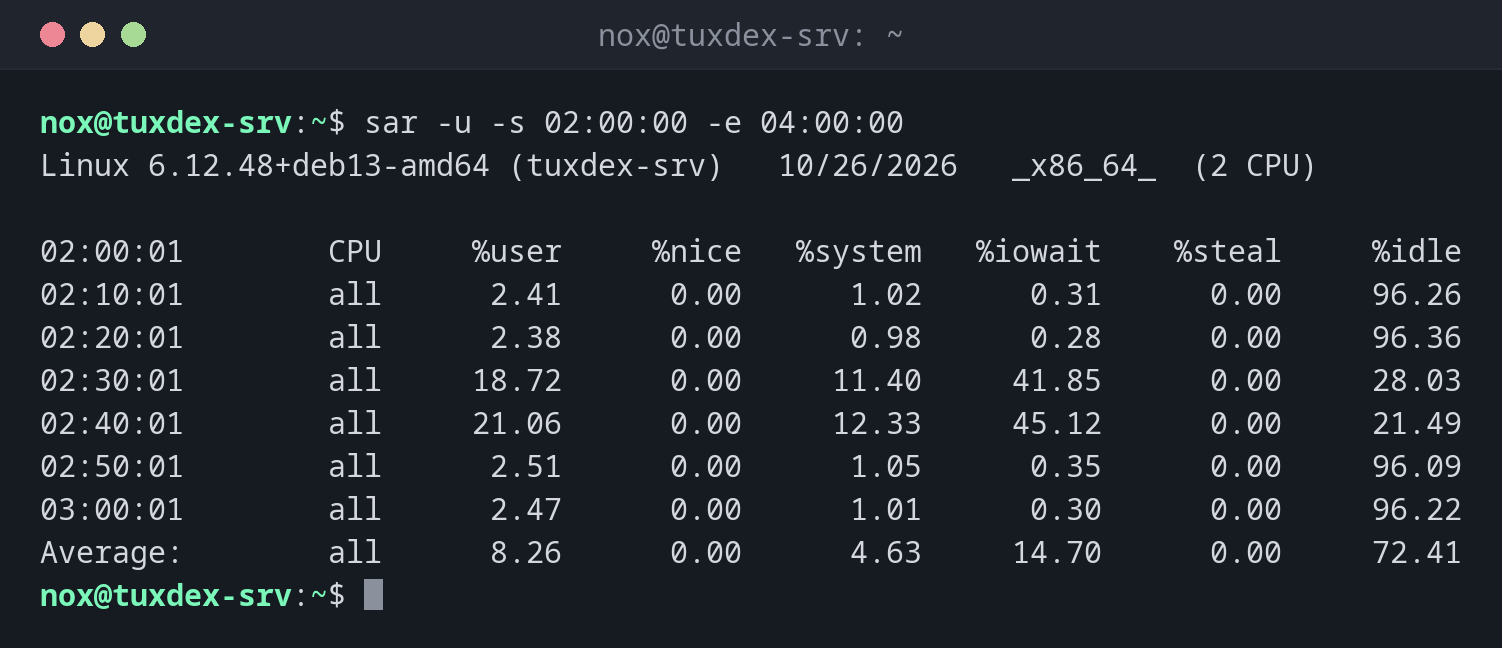
sar -u -s 02:00:00 -e 04:00:00
Linux 6.12.48+deb13-amd64 (tuxdex-srv)   10/26/2026   _x86_64_  (2 CPU)

02:00:01        CPU     %user     %nice   %system   %iowait    %steal     %idle
02:10:01        all      2.41      0.00      1.02      0.31      0.00     96.26
02:20:01        all      2.38      0.00      0.98      0.28      0.00     96.36
02:30:01        all     18.72      0.00     11.40     41.85      0.00     28.03
02:40:01        all     21.06      0.00     12.33     45.12      0.00     21.49
02:50:01        all      2.51      0.00      1.05      0.35      0.00     96.09
03:00:01        all      2.47      0.00      1.01      0.30      0.00     96.22
Average:        all      8.26      0.00      4.63     14.70      0.00     72.41
Between 02:30 and 02:50, %iowait jumps to over 40 %. That's exactly the time of the nightly backup in the cron job.
Memory usage of yesterday:
sar -r -f /var/log/sysstat/sa25 | tail -4
21:50:01    kbmemfree   kbavail kbmemused  %memused kbbuffers  kbcached  kbcommit   %commit  kbactive   kbinact   kbdirty
22:00:01       841204   2691532   1103884     27.53    100412   1662308   2412908     47.83   1520764    887212       512
22:10:01       838576   2690112   1106292     27.59    100412   1663464   2412908     47.83   1521980    887640       388
Average:       852901   2702354   1094012     27.28    100368   1655782   2398110     47.54   1512240    884017       437
Load and run queue live:
sar -q 1 3
Linux 6.12.48+deb13-amd64 (tuxdex-srv)   10/26/2026   _x86_64_  (2 CPU)

10:42:17      runq-sz  plist-sz   ldavg-1   ldavg-5  ldavg-15   blocked
10:42:18            1       214      0.18      0.12      0.09         0
10:42:19            0       214      0.18      0.12      0.09         0
10:42:20            1       214      0.16      0.12      0.09         0
Average:            1       214      0.17      0.12      0.09         0
When do I need it?
- When the server was slow at night and you want to know why
- To see trends, for example whether memory usage grows every day
- To compare a busy day with a normal one
Switch on the collection
Without background collection, sar only measures live. On Debian and Ubuntu set
ENABLED="true" in /etc/default/sysstat, on RHEL and Arch run
systemctl enable --now sysstat. The data is kept for 28 days by default.
Distribution differences
| Debian | Ubuntu | RHEL | Arch | |
|---|---|---|---|---|
| Install | sudo apt install sysstat |
sudo apt install sysstat |
sudo dnf install sysstat |
sudo pacman -S sysstat |
| Data directory | /var/log/sysstat/ |
/var/log/sysstat/ |
/var/log/sa/ |
/var/log/sa/ |